Relative colour syntax in CSS
The from keyword lets you take an existing colour apart, adjust a channel and put it back together — no preprocessor, no build step.
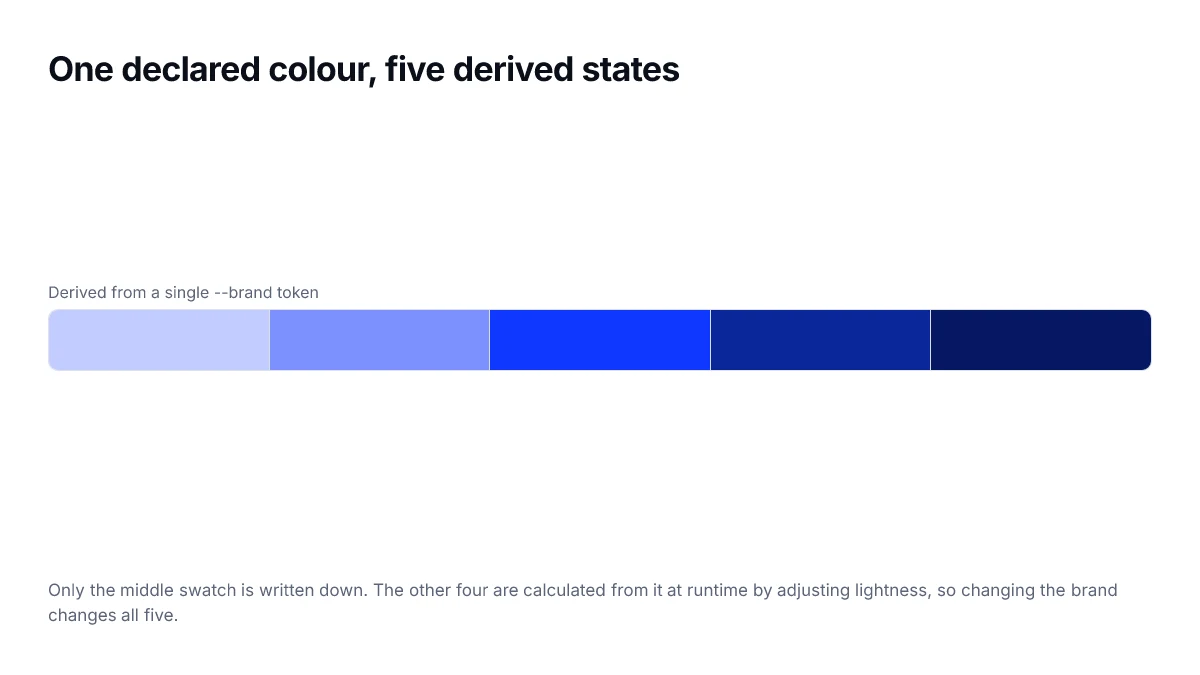
For years, deriving a hover colour meant a preprocessor. You wrote darken($brand, 10%), a build step resolved it, and the result was frozen into the stylesheet. Relative colour syntax does the same job in the browser, at runtime, against a custom property.
The shape of it
Inside any colour function, write from followed by a colour. The channels of that colour become available as keywords you can use in calc.
:root { --brand: #0F37FF; }

/* take --brand apart, drop lightness, put it back */
.button:hover {
  background: oklch(from var(--brand) calc(l - 0.08) c h);
}
In oklch the channel keywords are l, c and h. In rgb they are r, g and b. In hsl they are h, s and l. You can also use alpha as a fourth.
Why this beats the old approach
- It follows the variable. Change --brand and every derived colour updates, with no rebuild.
- It works with colours you do not control, including ones set inline or inherited from a theme.
- You choose the space you adjust in, so you can do the maths in OKLCH even if the source is hex.
- It composes with color-mix() and with media queries.
Note that the source colour is converted into the space of the outer function first. oklch(from #0F37FF ...) gives you OKLCH channels to work with, even though you handed it a hex value.
Practical patterns
/* a subtle tinted surface from any accent */
.notice {
  background: oklch(from var(--accent) 0.96 0.03 h);
  border-color: oklch(from var(--accent) 0.85 0.06 h);
}

/* a translucent version, alpha replaced */
.overlay {
  background: rgb(from var(--accent) r g b / 12%);
}

/* force a readable foreground by pinning lightness */
.chip {
  color: oklch(from var(--accent) 0.30 c h);
}
Where to be careful
Two things. First, arithmetic in OKLCH can push a colour outside the displayable gamut; the browser maps it back, which may not be what you expected. Keep chroma moderate. Second, support is recent — if you have a meaningful audience on older browsers, declare a plain fallback before the relative version so the cascade handles it.
.button:hover {
  background: #0A279B;                                    /* fallback */
  background: oklch(from var(--brand) calc(l - 0.08) c h); /* enhanced */
}Channel keywords by function
The available keywords depend on the outer function, because they name that space's channels. Alpha is available in all of them.
| Function | Channels | Typical use |
|---|---|---|
| rgb() | r, g, b, alpha | Replacing alpha on an unknown colour |
| hsl() | h, s, l, alpha | Quick lightness tweaks in legacy code |
| oklch() | l, c, h, alpha | Perceptually even derived states |
| oklab() | l, a, b, alpha | Shifting along a colour axis |
| hwb() | h, w, b, alpha | Tinting and shading by white and black |
Building a whole state set from one token
The pattern pays off most where a component needs several related colours. Here a button derives its hover, active, disabled and focus colours from a single declared value.
.button {
  --base: var(--brand);
  background: var(--base);
  color: oklch(from var(--base) clamp(0, calc((0.62 - l) * 1000), 1) 0 h);
}

.button:hover  { background: oklch(from var(--base) calc(l - 0.06) c h); }
.button:active { background: oklch(from var(--base) calc(l - 0.12) c h); }
.button:disabled {
  background: oklch(from var(--base) calc(l + 0.15) calc(c * 0.3) h);
}
The clamp in the colour line is a trick rather than a recommendation: it flips the label between black and white around a lightness threshold. It works, but a measured pair of explicit foreground tokens is easier for the next person to reason about.
Where it replaces JavaScript
A common pattern before this existed was to compute derived colours in JavaScript at runtime — reading a CSS variable, converting it, adjusting a channel, and writing it back. That approach works but costs a script, runs after first paint, and has to be re-run whenever the theme changes.
Relative syntax removes the whole category. The browser recalculates automatically when the source property changes, including on a theme switch, with no listener and no flash of the previous value.
This matters most for user-configurable accents. If someone picks their own colour in a settings panel, one custom property update now drives every hover, border and tint derived from it.
Debugging a relative colour
When a derived colour comes out wrong, the cause is almost always one of three things, and they are quick to separate.
| Symptom | Likely cause | Check |
|---|---|---|
| Colour is unstyled or inherited | Unsupported syntax, declaration discarded | Is there a fallback on the line before? |
| Hue shifted unexpectedly | Chroma pushed outside the display gamut | Reduce the chroma term and retest |
| No visible change | calc produced a value outside 0–1 | Log the computed value in devtools |
| Alpha lost | Alpha not carried through | Add / alpha explicitly to the output |
Browser devtools show the computed value of a relative colour, which is the fastest way to see what the arithmetic actually produced rather than what you intended it to produce.
Keeping derived colours accessible
The convenience of deriving colours arithmetically brings a risk worth naming: nobody measures a colour that does not exist until runtime. A hover state written as calc(l - 0.08) has never been checked against its label, and if the base colour changes, the derived one changes with it — silently.
- Measure the derived states for every base colour you actually ship, not just the default.
- Keep foreground colours explicit rather than derived, so text contrast is a fixed, checked value.
- If users can choose an accent, clamp the lightness of the derived states rather than offsetting it, so extreme inputs cannot produce unreadable output.
- Prefer small adjustments; large ones are where clamping and gamut mapping produce surprises.
The clamping point is the important one for user-configurable themes. An offset applied to an already very dark accent produces black, and applied to a very light one produces no visible change at all. Pinning the result to an absolute lightness instead gives predictable states from any input.
Frequently asked questions
- Does relative colour syntax work with custom properties?
- Yes, and that is the main reason to use it. oklch(from var(--brand) calc(l - 0.1) c h) follows whatever --brand currently holds, so a theme switch or a rebrand updates every derived colour without a rebuild.
- What is the difference between this and color-mix()?
- color-mix() blends two colours by a percentage. Relative syntax takes one colour apart and lets you change individual channels. Use mixing for tints and shades, and relative syntax when you need to hold hue constant while changing only lightness, or replace alpha without knowing the base colour.
- Can I use it with hex colours?
- Yes. The source is converted into the space of the outer function first, so oklch(from #0F37FF l c h) gives you OKLCH channels to work with even though you supplied hex.
- What happens if my calculation goes out of range?
- The browser clamps or gamut-maps the result rather than erroring. That is usually fine for lightness but can shift hue when chroma is pushed past what the display can show, so keep chroma adjustments modest.
- Do I need a fallback?
- Yes, if any meaningful part of your audience is on older browsers. An unsupported relative colour is an invalid declaration, so the property keeps its inherited value rather than falling back to something similar. Declare a plain value on the line before.
Sources
- CSS Color Module Level 5 — relative colours — W3C
- Relative colour syntax — MDN Web Docs